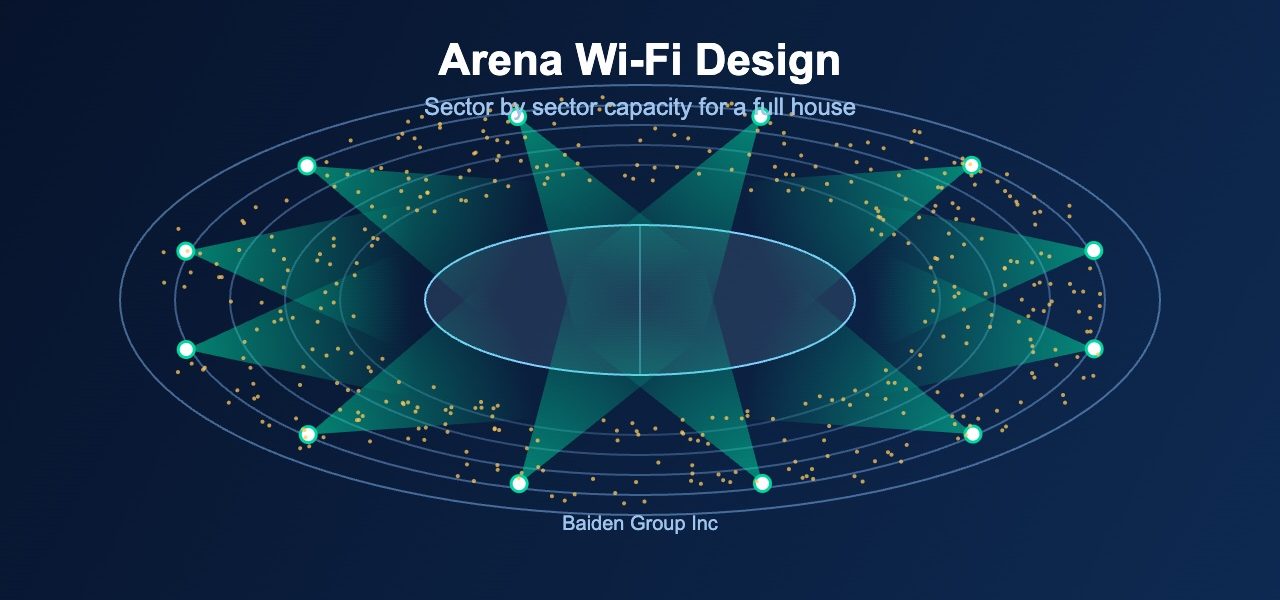
Arena Wi-Fi design is one of the few projects where the network is judged in a single evening. For example, a hockey game, a concert, or a trade show can bring thousands of devices online within minutes. As a result, a network that looked fine in an empty building can fail when the doors open.
Canadian venues face an extra challenge. Many arenas serve as a hockey rink in winter, a concert hall in spring, and a convention floor in summer. Therefore, the design has to work for several layouts, not just one.
Capacity Matters More Than Coverage
Most venue complaints are not about weak signal. Instead, they come from too many devices competing for limited airtime. A phone can show full bars and still deliver nothing useful.
That said, coverage still comes first. Specifically, every seating section needs a strong and consistent signal. However, the real design question is how many active clients each radio can serve at once.
Start with realistic numbers. For instance, ask the venue how many people attend a sold out event. Then estimate what share will join the Wi-Fi network at peak. In practice, a large share of the crowd connects within the same few minutes, such as intermission.
Antenna Choice and Placement
Seating bowls are difficult spaces. Steep rows, hard surfaces, and open air create reflections and uneven coverage. Overhead access points often do not work well here.
Instead, many venues need directional antennas aimed at specific sections. Under seat or handrail mounting can also shrink each coverage cell. Smaller cells let each radio serve fewer people. Consequently, airtime goes further.
Mounting also affects maintenance. Equipment in a public seating area takes abuse from crowds, cleaning crews, and weather. For this reason, plan enclosures and cable paths early, not after construction.
Plan the Backbone Too
Wi-Fi can only be as good as what sits behind it. Switch uplinks, internet bandwidth, and DHCP address pools all need to handle the crowd. Otherwise, the radios perform well while users still see a slow network.
Additionally, check the address pool size. A pool that suits an office will run out quickly during a sold out game. Meanwhile, short lease times help recover addresses as fans come and go.
Also consider the band plan. The 6 GHz band offers wide, clean channels, but only newer devices can use them. Thus, the 5 GHz band will carry most traffic for some time, and channel reuse needs careful attention.
In addition, think about who else shares the airwaves. Broadcast crews, vendors, and media teams often bring their own wireless gear. For instance, a temporary hotspot in a concourse can interfere with the main network. A spectrum scan before each major event catches these problems early.
Test Under Load Before Opening Night
An empty arena hides problems. Absorption from a full crowd changes the RF environment. Bodies absorb signal, and thousands of phones add noise.
Therefore, validate the design under real conditions. Run a survey with the building empty, then confirm performance during a live event. Notably, an early event with a small crowd is a useful checkpoint. It shows where adjustments are needed before the biggest night.
Finally, build a plan for tuning. Even a strong design needs changes after the first few events. Transmit power, channel assignments, and data rate settings usually need small corrections.
What This Means for Canadian IT Teams
Venue operators should treat Wi-Fi as core infrastructure. Ticket scanning, point of sale, broadcast tools, and guest access all depend on it. Overall, a failure during an event affects revenue and reputation at the same time.
Baiden Group supports venues with Wi-Fi design, RF site surveys, troubleshooting, and managed Wi-Fi. We work with your team from first survey through post event tuning.
Have questions about how these developments affect your network? Reach out to the Baiden Group team.