Canada was the first country to approve an operator for automated frequency coordination in the 6 GHz band. That decision matters for enterprise Wi-Fi. However, many buyers still treat 6 GHz as an indoor only band. In practice, 6 GHz standard power in Canada opens options for campuses, yards, and large open spaces. This post explains how it works, what it changes, and where to be careful.
The Three Power Classes
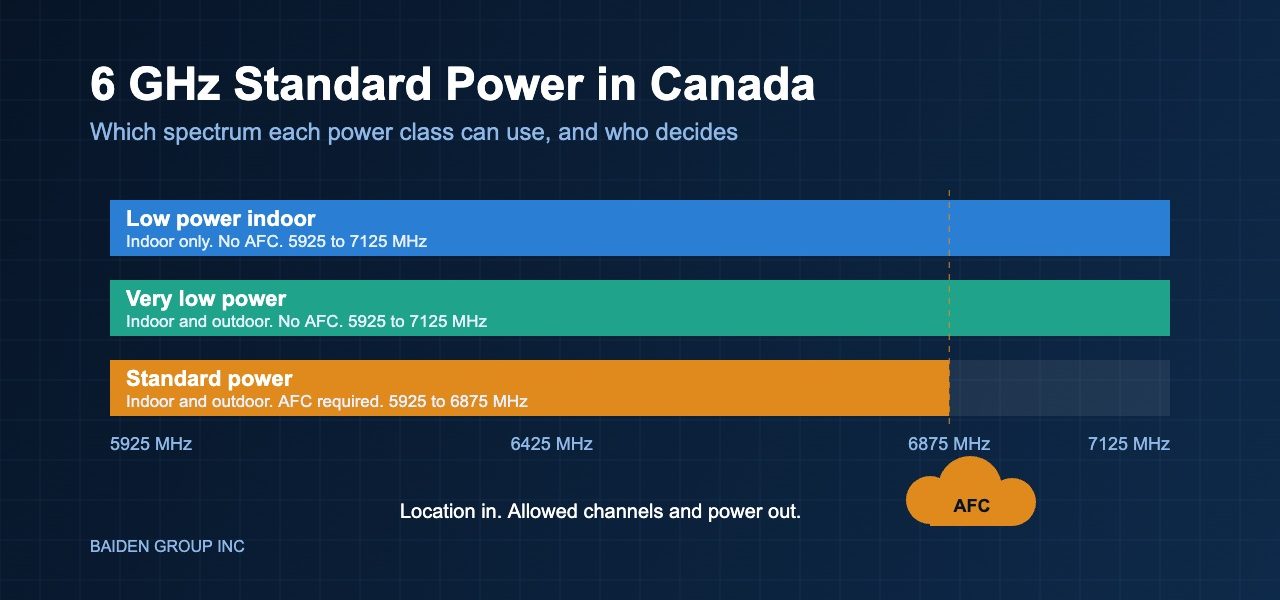
Innovation, Science and Economic Development Canada, or ISED, defines three ways to use the band. Low power indoor devices need no coordination system and work indoors only. Very low power devices also skip coordination, and they can run indoors and outdoors. Standard power devices must operate under an automated frequency coordination system, known as AFC. They can run indoors and outdoors.
Meanwhile, the spectrum is not identical across the classes. Low power indoor and very low power devices can use 5925 to 7125 MHz. Standard power covers 5925 to 6875 MHz. Therefore, standard power trades some spectrum for more reach.
How AFC Actually Works
An AFC system is a cloud service. The access point reports its location and antenna details. The service replies with the channels and power levels the access point may use. The goal is to protect licensed fixed links and radio astronomy sites.
ISED approved Qualcomm as an AFC system administrator in 2023. Since then, it has also designated the Wi-Fi Alliance Services Corporation. As a result, Canada now has more than one approved operator. In addition, the Wi-Fi Alliance has updated its AFC test tools to match the ISED rules for 6 GHz devices.
What It Means for Your Design
First, standard power gives outdoor areas a real 6 GHz option. Loading yards, campus courtyards, and event spaces are good candidates. Second, the AFC answer can change your channel plan. For example, an access point near a protected link may receive fewer channels than its neighbours.
Consequently, your RF site survey should be validated against the final channel and power answer. A survey that assumes every channel is available can mislead you. Moreover, higher access point power does not raise client power. Clients still limit the uplink. Indeed, range gains on paper may not show up in real use.
Third, the access point now depends on a cloud service. Plan for the day that connection fails. Ask the vendor how the access point behaves when it cannot reach the AFC. Also confirm how often it rechecks its allowed channels.
Additionally, think about who benefits first. Warehouses and campuses with outdoor traffic gain the most. In contrast, a typical office floor may see little change. Therefore, review your floor plans before you chase new hardware. Often, a better channel plan on low power indoor 6 GHz solves the problem at lower cost.
What to Confirm Before You Buy
Start by checking that the model is certified for standard power in Canada. Next, confirm which AFC operators it supports. It is also worth asking how the device determines its location. Furthermore, learn what clients experience when the channel list changes. Finally, read the service terms for the AFC itself. Do not assume they are included in the hardware price.
Above all, test on your own site before rollout. Vendor claims describe the best case. Your building, your neighbours, and your protected links decide the real result.
Baiden Group helps Canadian IT teams with Wi-Fi design, RF site surveys, troubleshooting, and managed Wi-Fi. Our technical team can model 6 GHz options for your site and validate them in the field. As a result, you buy for the network you will actually have.
Have questions about how these developments affect your network? Reach out to the Baiden Group team.